
-
 Welcome bonusUp to 400 USD + 100 FSfor the first 2 deposits
 -
 Welcome bonusUp to 400 USD + 100 FSfor the first 2 deposits

WinSpirit Casino App
Our mobile platform puts thousands of casino games inside your pocket — no app store visit needed. The WinSpirit Casino app download is handled entirely through your browser using Progressive Web App technology, and installation takes under a minute on any device. You also pick up 20 no-deposit Free Spins the moment you install it, making this one of the most rewarding first steps you can take with us. WinSpirit delivers a full-catalog experience, live banking, and round-the-clock support all from one lightweight icon on your home screen.
The Progressive Web App Model
Our mobile solution runs as a Progressive Web App — meaning it lives inside your browser, not inside an app store listing. The WinSpirit Casino app never needs an approval process from Apple or Google, so we ship updates the instant they’re ready rather than waiting weeks for store review.
| Platform | Status |
| App Store | Not listed |
| PWA | Fully supported |
That table tells the whole story. Because our PWA loads directly over a secured connection, it behaves identically to a native app: one-tap access, sub-second loading, and a consistent layout whether you’re on a phone, tablet, or desktop. The WS Casino architecture also means zero storage bloat — nothing sits on your device except a small shortcut icon. Players looking for a lightweight way to reach live tables or high-RTP slots will find the WinSpirit Casino experience here is everything a downloaded package offers, minus the friction.
You can explore full platform details, licensing information, and our provider list through WinSpirit platform details. The app for android works through Chrome or Firefox, while iOS users rely on Safari. The WinSpirit app download process is the same across operating systems — open the site, follow one prompt, done.
Installing the App on Your Phone
Getting set up on any device is genuinely straightforward, whether you’re on Android or iOS. Here’s the sequence for both:
- Open Chrome or Safari
- Tap the Share or menu icon
- Select Add to Home Screen
- Confirm
Those four steps are all it takes. The WinSpirit app icon lands on your home screen and opens to a full-screen casino interface without a browser toolbar in sight. For Android users, the WinSpirit Casino app download prompt appears automatically inside Chrome — tap the three-dot menu next to the address bar and look for the install option. On iOS, the Share icon in Safari reveals the “Add to Home Screen” option.
If you ever want a dedicated file for sideloading, the WinSpirit Casino app download apk route is also available for Android; just ensure your device settings allow installations from outside the Play Store. Check our WinSpirit FAQ answers for a step-by-step walkthrough of that process. WinSpirit Casino keeps the instructions current as Android versions evolve, so always confirm you’re reading the latest guide. The WinSpirit app download for android path via the browser, however, remains the fastest option for most players, and WinSpirit recommends it first for anyone who doesn’t want to adjust device permissions.
Mobile Gameplay and Performance
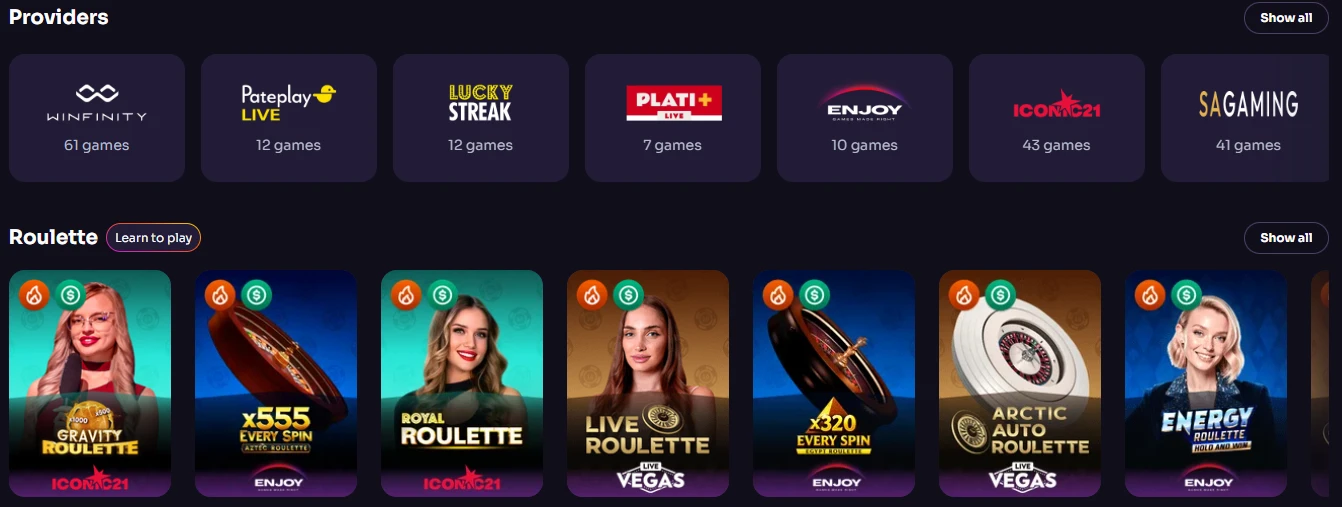
Every title in our catalog runs on touchscreen with no compromise. Win Spirit has structured its mobile interface around the same 80+ licensed, eCOGRA-verified providers that power the desktop version, so you’re spinning the same certified reels at the same certified RTPs wherever you play.
| Category | Mobile Status |
| Slots | Optimized |
| Live Casino | HD Streams |
Spinomenal, Pragmatic Play, and BGaming all render smoothly on mid-range handsets, not just flagship devices. The WinSpirit Casino app for android handles HD live streams from providers like Imagine Live (averaging 99.50% RTP) without frame-dropping, even on a 4G connection. Our WinSpirit app download brings that same catalog to iOS just as cleanly — the PWA doesn’t distinguish between operating systems at the rendering layer.
You can move between demo mode and real-money play in one tap, and your bonus status, balance, and game progress sync in real time across every device logged into your account. Setting up your account or returning to it is covered in detail at WinSpirit login process. The WinSpirit Casino app also supports our full game-badge system — blue badges for wagering-eligible bets, orange for most-popular titles — so you always know exactly what you’re playing. WinSpirit keeps the mobile lobby organized identically to desktop, meaning no hunting for your favourite slot. WinSpirit Casino app for android users get the same lobby sorting and filtering options as desktop.
Mobile Banking and Cashier
Mobile users manage their full cashier experience inside the browser interface — deposits, withdrawals, and verification — without switching to a separate application. The WinSpirit Casino app handles $20 minimum deposits through Visa, MasterCard, MiFinity, MuchBetter, Neosurf, and twelve supported cryptocurrencies including Bitcoin, Ethereum, and USDT, all accessible from the same cashier screen you’d use on desktop.
The WinSpirit app download places that cashier one tap away from your home screen. Crypto deposits confirm in minutes, while e-wallet transfers to your account arrive within one to twenty-four hours. Withdrawals carry no fee on our side — the $50 minimum withdrawal processes within twenty-four hours under normal conditions. The weekly withdrawal cap sits at $2,000 for standard accounts, though your activity and VIP status can raise it. The WinSpirit app download free installation means you’re paying nothing to access these banking tools; every cent stays in your playing balance. All transactions are SSL-encrypted and run through the same GCB-licensed infrastructure that governs our desktop cashier.
Why the PWA Beats Downloading
Installing our PWA rewards you immediately: 20 no-deposit Free Spins land in your Bonuses tab the moment you complete the install and log in. That’s the “App for Start” promotion, and it requires no deposit — just install, log in, and activate. Here’s what you get versus what you should keep in mind:
- 20 no-deposit Free Spins upon installation (x40 wagering, $0.10 bet value)
- Instant server updates — features deploy without you touching a thing
- Requires strong internet — PWA performance depends on a stable mobile connection
Win Spirit Casino chose the PWA model precisely because it removes every traditional barrier: no app store account needed, no waiting for update downloads, no storage allocation fights. The WinSpirit Casino app download from our site is always the current version — there is no outdated build sitting forgotten on anyone’s phone. The app for android updates happen server-side, so you’re always playing the most current iteration. WinSpirit also offers a QR code on the site for fast install on a new device.
The WinSpirit Casino app download free policy means there is no paid tier or premium unlock — everything available on desktop is available the moment the icon is on your screen. For players who previously relied on the WinSpirit app download for android via a traditional APK file, the browser-based approach gives you the same result with fewer steps. The WinSpirit Casino app download apk remains supported for Android users who prefer that route, but most players find the direct browser install faster. The WS Casino PWA approach genuinely simplifies mobile gaming rather than just repackaging it.
Mobile Security and 24/7 Support
Our mobile experience maintains the same security standards as desktop — full SSL encryption, GCB licensing, and eCOGRA certification cover every session, regardless of the device. The WinSpirit app connects over an encrypted channel, and 3DSv2 authentication protects every card transaction you make from your phone.
- Mobile SSL encryption on all connections
- 24/7 live chat accessible directly from the mobile interface
- Biometric browser login using your device’s fingerprint or face unlock
That list covers the three pillars players ask about most. Live chat opens from the same navigation menu as on desktop, so you never have to swap to a browser tab to reach a real agent. The WinSpirit app download places that support icon one tap from any page inside the interface. WS Casino also complies with GDPR and maintains responsible gambling tools — deposit limits, loss limits, cooling-off periods, and self-exclusion — all fully operable from your mobile screen.
The WinSpirit app for android respects your device’s biometric settings: if your browser supports fingerprint or face recognition for saved credentials, you get one-touch re-entry every session. WinSpirit routes all RNG results through certified, independently audited processes — results cannot be altered by the casino or influenced by your device type. The WinSpirit app for android experience and the iOS experience are functionally identical in terms of security depth.
Who This Mobile Experience Is Built For
The WinSpirit Casino app is the right fit for any player who values speed and flexibility over traditional download routines. If you spin slots during a commute, join live blackjack tables between meetings, or prefer crypto deposits that clear in minutes, the mobile setup we’ve built handles all of it without requiring any installation permissions beyond a browser prompt. Win Spirit designed this platform for players who treat their phone as their primary screen.
The WinSpirit Casino app also suits players who move across devices — a session started on desktop picks up instantly on mobile because your balance, bonuses, and game state sync in real time. Casual players benefit from the 20 free-spin welcome with no deposit required, while high-frequency players climbing our VIP ladder from Bronze to Diamond find every tier perk — cashback, deposit insurance, personal managers — fully accessible from the WinSpirit app for android or iOS. WinSpirit built the PWA to remove every reason to stay tethered to a desktop, and that is exactly what it does.
Common Questions About the Mobile Experience
Does the Install Cost Anything?
No. The install is completely free, and you receive 20 no-deposit Free Spins automatically once you log in after installing. Head to the Bonuses tab inside your Profile to activate them.
Which Devices Are Supported?
Android phones and tablets (Chrome or Firefox), iPhones and iPads (Safari only), Windows computers (Chrome), and macOS (Safari or Chrome). The WinSpirit app works on any modern browser without requiring special permissions beyond the Add to Home Screen prompt.
Is There a Separate File for Android?
The WinSpirit Casino app download is browser-based by default and takes under a minute. If you prefer a traditional file, the WinSpirit Casino app for android is also accessible as an APK. Adjust your Android security settings to allow installs from outside the Play Store before using that route.
How Do Withdrawals Work on Mobile?
The cashier on mobile is identical to desktop. Minimum withdrawal is $50, processed within twenty-four hours with no fee from our side. Crypto withdrawals and e-wallet transfers are typically the fastest, arriving within one to twenty-four hours. WinSpirit requires identity verification before your first withdrawal, completed once from the Verification tab in your Profile.
What Happens to My Bonuses When I Switch Devices?
Nothing is lost. Your bonus balance, wagering progress, and VIP level all sync in real time. The WinSpirit app treats every device as the same account — log in anywhere, and the state is exactly as you left it.
How Do I Reach Support From My Phone?
Live chat is accessible directly inside the mobile interface, available around the clock every day. You can also reach our team at the support address listed in your account settings. WinSpirit agents respond in English and can assist with everything from banking questions to responsible gambling tools.